MacTCP Setup
Jump to navigation
Jump to search

- Click on the Apple menu, go to , and select .
- Select .
- Click .
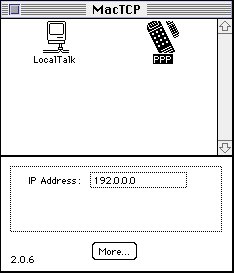
- Under , select .
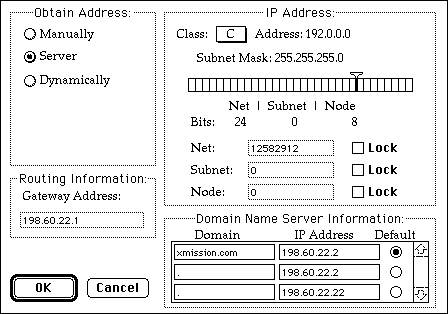
- Under , select .
- In the field, enter the following:
- xmission.com 198.60.22.2* - 198.60.22.2 -198.60.22.22
- Click .
- Close the MacTCP control panel and reboot..