FreePPP 2.6 Setup: Difference between revisions
Jump to navigation
Jump to search
No edit summary |
m Removed protection from "FreePPP 2.6 Setup" |
(No difference)
| |
Revision as of 12:03, 13 December 2012
- Open your Apple menu, go to , and select .
- Click on the small blue arrow on the bottom left of the window to show the configuration tabs.
- Uncheck every option under .
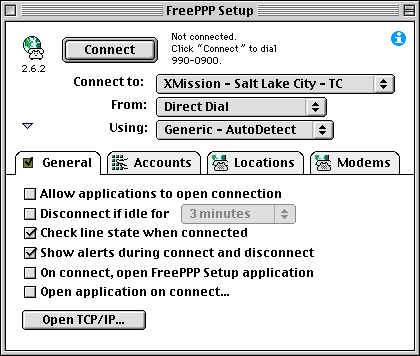
- Click on the tab.
- If you don't see listed, click .
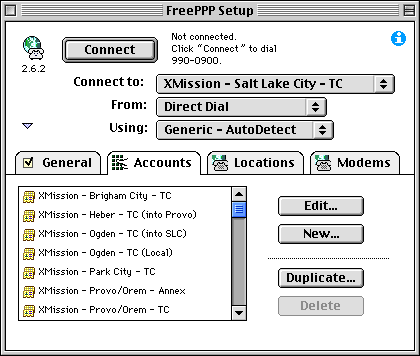
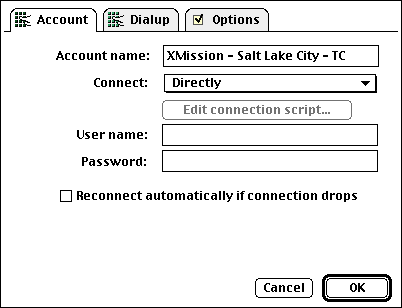
- In the field, enter XMission.
- In the menu next to , select .
- In the field labeled , enter your XMission account name.
- In the field labeled , enter your XMission password. You can leave this blank if you'd like to be prompted for your password when you connect.
- Click on the tab.
- Enter the area code and phone number for the XMission location you will be dialing in the appropriate fields.
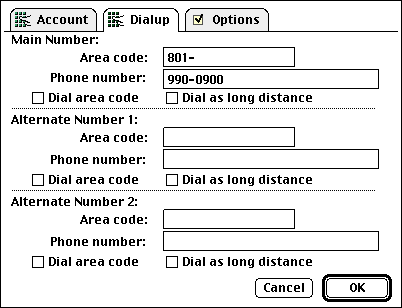
- Click on the tab.
- In the field, enter xmission.com.
- In the field, enter 198.60.22.2.
- In the field, enter 198.60.22.22.
- Click on .
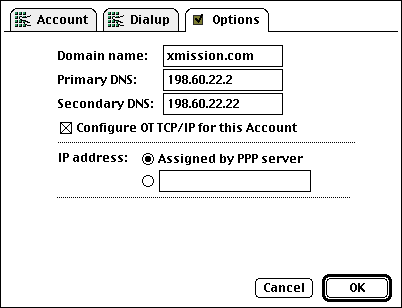
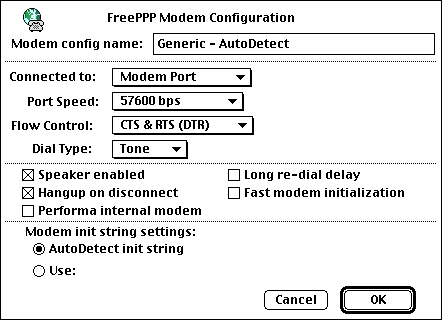
- Click on the tab.
- Select (or ).
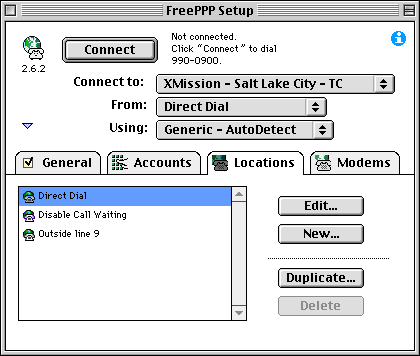
- Click on the tab.
- Click .
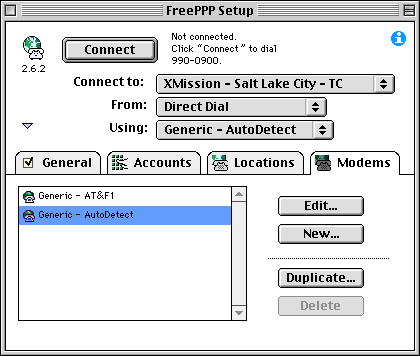
- Click .