IPhone:Delivery Options: Difference between revisions
Jump to navigation
Jump to search
No edit summary |
|||
| (One intermediate revision by the same user not shown) | |||
| Line 10: | Line 10: | ||
[[Category:XMission Email| | |||
[[Category:Client Email Configuration|XMission Email|iPhone Delivery Options]] | |||
[[Category:XMission Email|iPhone Delivery Options]] | |||
Latest revision as of 15:29, 4 February 2014
- Press the
 home button, tap on the
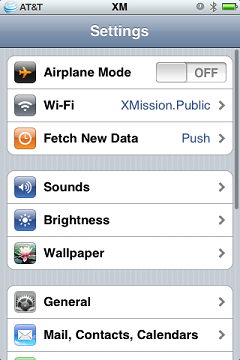
  Settings icon and then tap on the Fetch New Data option.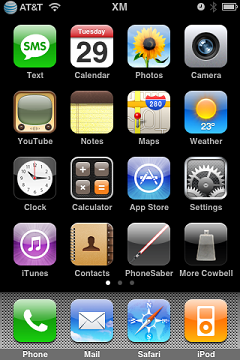
- In this screen you can specify how often you want your IPhone to check for new emails and turn on or off Push data (for Zimbra hosted accounts). A longer fetch schedule will save battery life. You can also select Manually if you only want the device to check email when you tell it to.
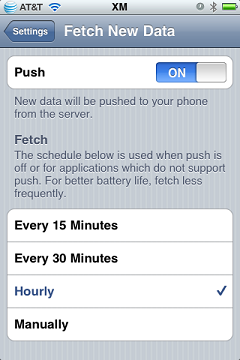


Tap on the Settings chevron to save your changes.