Linux kPPP Setup: Difference between revisions
Jump to navigation
Jump to search
No edit summary |
No edit summary |
||
| Line 1: | Line 1: | ||
{{archived}} | |||
kppp Dialup Setup | kppp Dialup Setup | ||
Latest revision as of 14:52, 14 January 2020

kppp Dialup Setup
- Click .
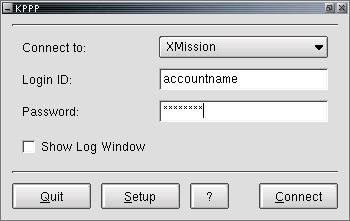
- On the tab, click .
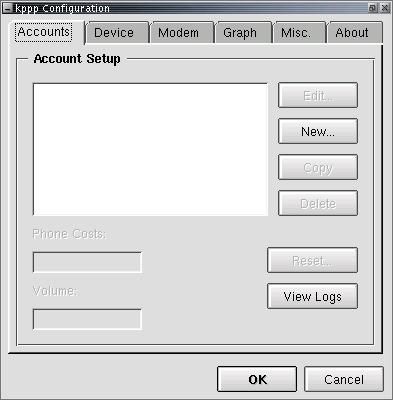
- Click .
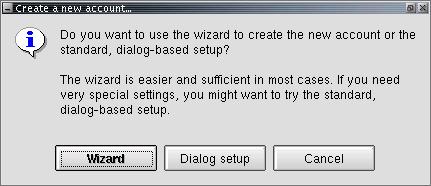
- On the tab, next to , enter XMission.
- Click .
- In the space provided, enter your local XMission access number.
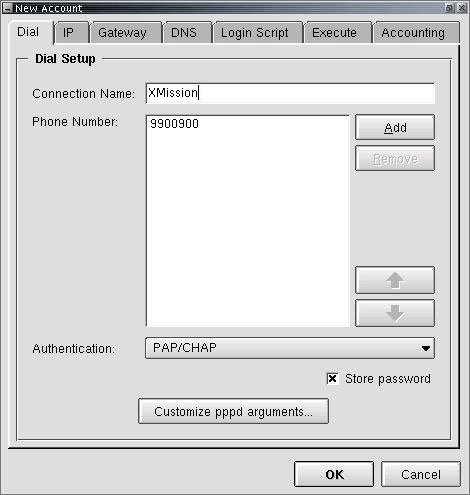
- Click on the tab and check that is selected.
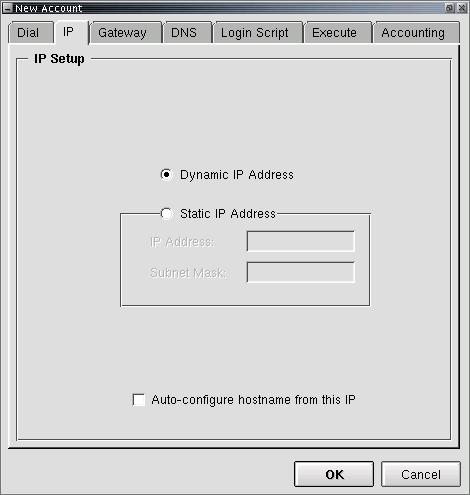
- Click on the tab and check that is selected.
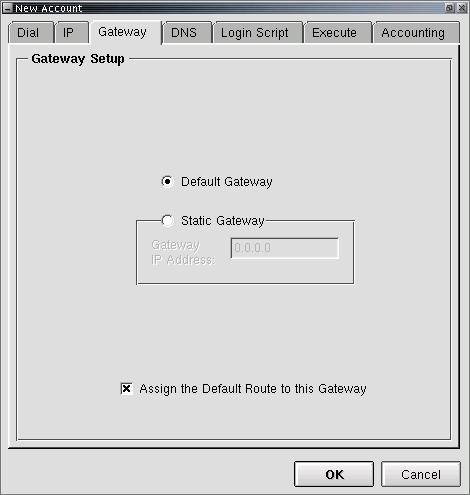
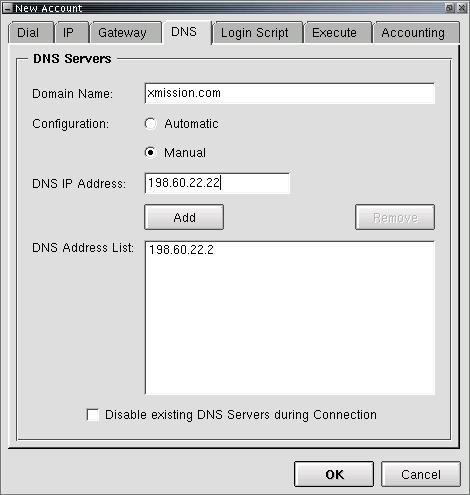
- Click on the tab.
- In the field labeled , enter xmission.com.
- For , select .
- In the field labeled , enter 198.60.22.2.
- Click .
- In the same place, enter 198.60.22.22.
- Click .
- Click .
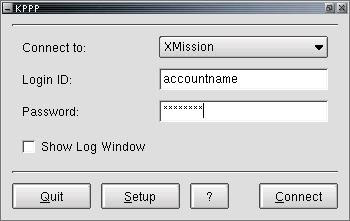
- To connect, click .
 ]
]


