Installing RAS in NT: Difference between revisions
Jump to navigation
Jump to search
No edit summary |
m Removed protection from "Installing RAS in NT" |
||
(No difference)
| |||
Revision as of 12:54, 13 December 2012
- Click , go to , and select .
- Double-click on .
- Select the tab.
- In the box, check for .
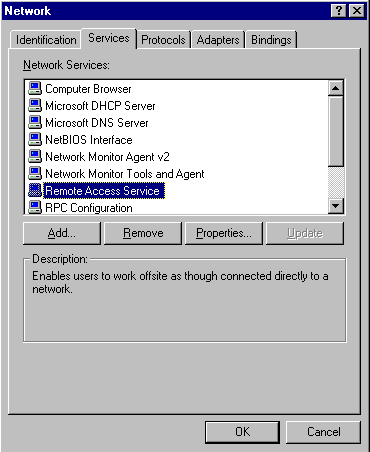
- Click .
- Scroll down to and highlight it.
- Click .
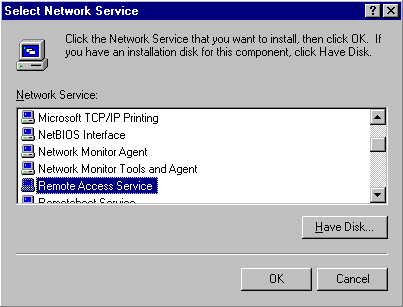
- Insert the Windows NT disk and click .
- Select your modem from the menu.
- Click .
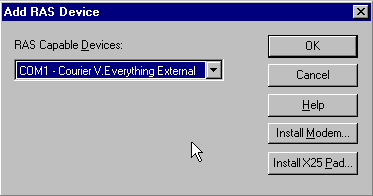
- Click .
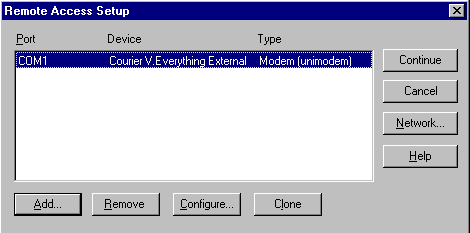
- Select .
- Click .
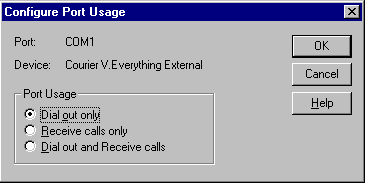
- Click .
- Make sure is the only protocol selected.
- Click .
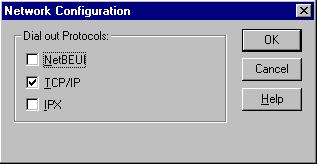
- Click .
- Click .
- Click to reboot your computer.


