DSL Actiontec Password Update: Difference between revisions
Jump to navigation
Jump to search
No edit summary |
No edit summary |
||
| Line 18: | Line 18: | ||
[[Category:DSL]] | [[Category:DSL]] | ||
[[Category:PPPoA]] | [[Category:PPPoA]] | ||
[[Category:Update]] | |||
Revision as of 16:57, 23 January 2014
- Open a Web browser. (Such as Internet Explorer or Mozilla)
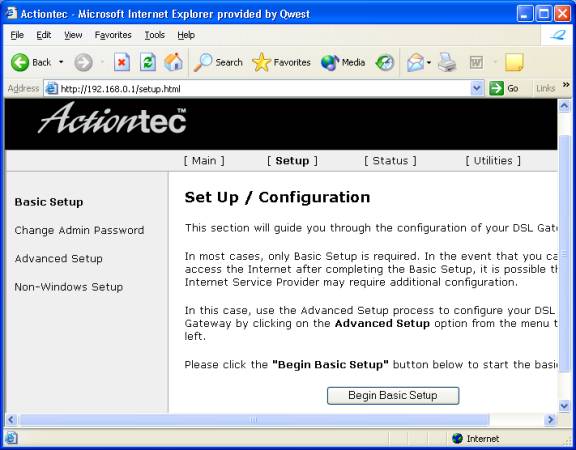
- In the bar enter http://192.168.0.1.
- Select .
- Click .
- Older Actiontec firmwares say
- Erase the contents of the field and enter your new password.
- Scroll to the bottom of the page and click .


At this point the configuration for your Actiontec is complete. Shortly after the Internet light on your Actiontec becomes solid you should be able to access the Internet.