Ten Digit Dialing: Difference between revisions
Jump to navigation
Jump to search
mNo edit summary |
mNo edit summary |
||
| Line 8: | Line 8: | ||
==MacOSX== | ==MacOSX== | ||
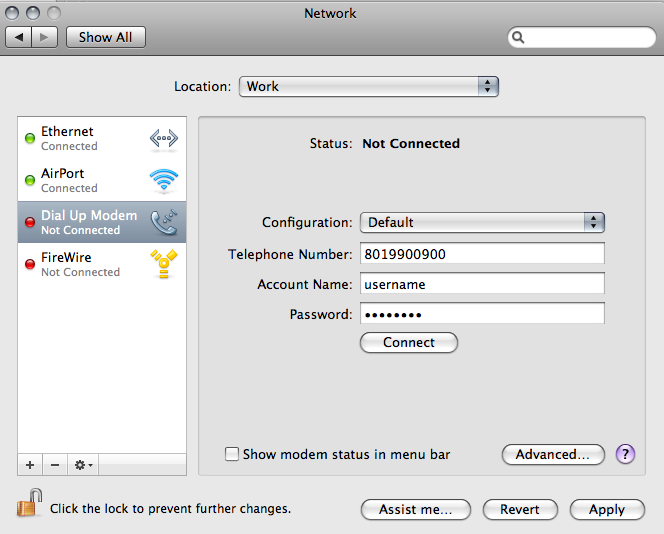
#From the Apple Menu select "Location" then "Network Preferences". | |||
#Select your Dial-up Modem from the list on the left. | |||
#In the "Telephone Number" field, change the number to reflect your area code before the number you currently dial to connect to XMission, then click the "Apply" button. | |||
#[[Image:Osx10digit.png]] | |||
Revision as of 13:16, 12 February 2009
Windows Vista & XP
- Click on your XMission Dialup Connection shortcut.
- In the "Dial" field, change the number to include your area code before the number you currently dial to connect to XMission, then click the "Dial" button.
- When prompted to make the change permanent, click "Yes".


MacOSX
- From the Apple Menu select "Location" then "Network Preferences".
- Select your Dial-up Modem from the list on the left.
- In the "Telephone Number" field, change the number to reflect your area code before the number you currently dial to connect to XMission, then click the "Apply" button.