TCP/IP for PPP Setup: Difference between revisions
Jump to navigation
Jump to search
No edit summary |
m Removed protection from "TCP/IP for PPP Setup" |
(No difference)
| |
Revision as of 13:05, 13 December 2012
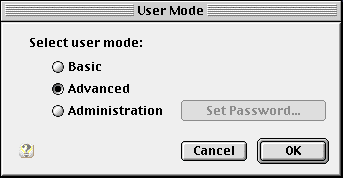
- Click on the Apple menu, go to , and select .
- Click and select .
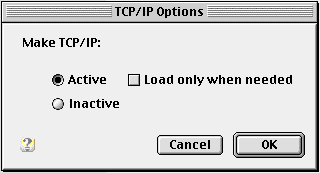
- Select .
- Click .
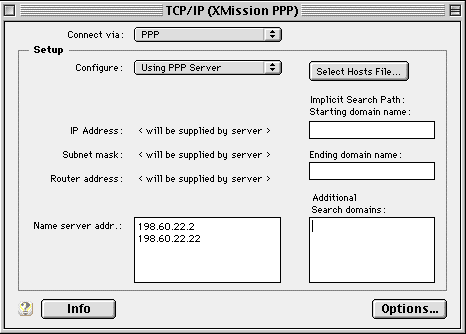
- Select from the drop-down menu beside .
- Select from the drop-down menu beside .
- In the field next to , enter...
- 198.60.22.2
- 198.60.22.22
- Click .
- Select .
- Click .
- Close the TCP/IP control panel and save the changes when prompted.