Netscape 4 for Windows Setup
- Clicking the button, go to , then , and select .
- In Netscape Communicator, click on and select .
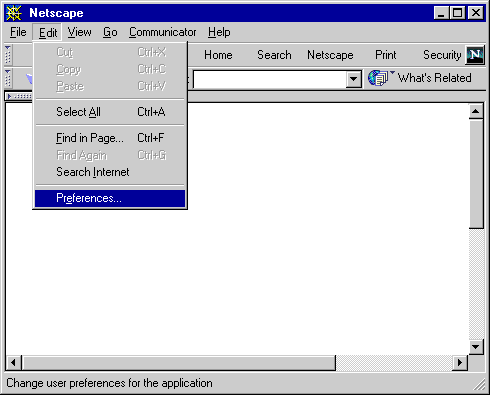
- Click the small box with a in it next to the .
- Click on .
- On the right, fill out the field. This is the name that will appear on your outgoing messages.
- Fill out your XMission email address in the field.
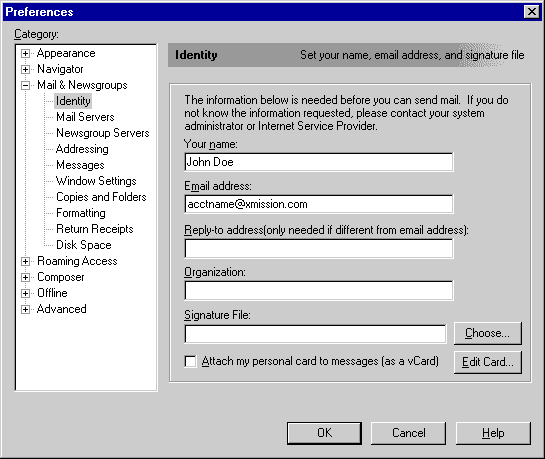
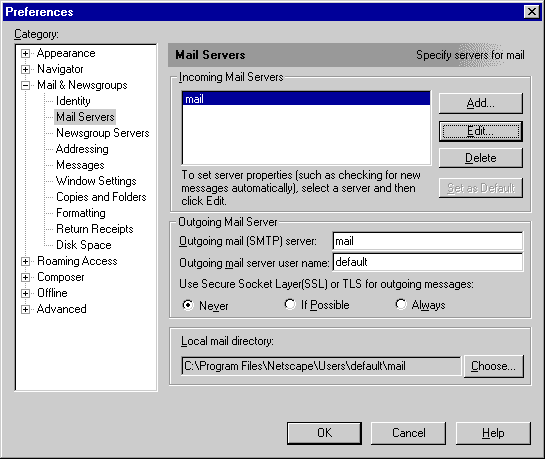
- On the left, click on .
- On the right side, highlight the server under and click on .
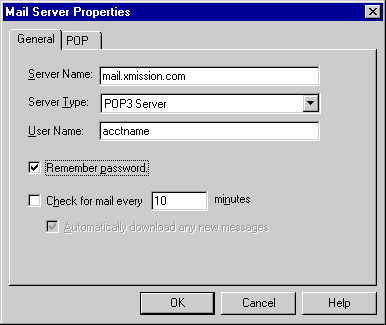
- Now type mail.xmission.com in the field.
- In the field, type your XMission username
- Check the box.
- Click on .
- Under the Heading you will see two fields. In , type mail.xmission.com.
- Click on
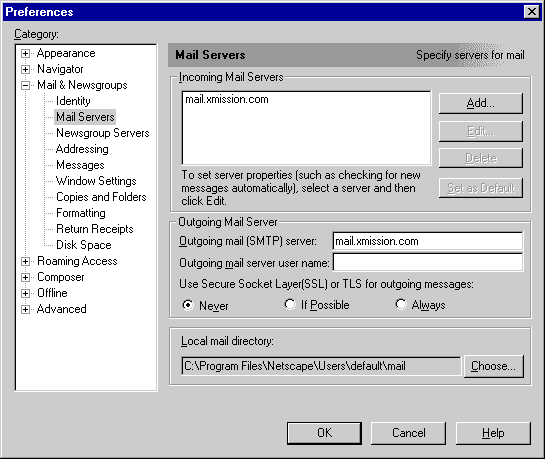
- Click on the pull down menu and select .
- Click the button and enter your XMission password when prompted.
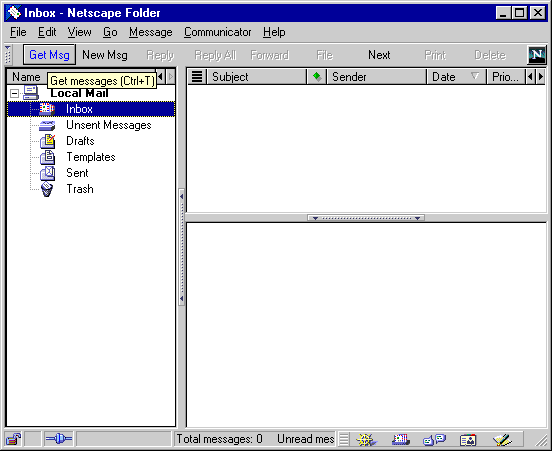


Congratulations! You should now see your Inbox. You're ready to start sending and receiving email.