OpenTransport Setup
Jump to navigation
Jump to search

OpenTransport/PPP Setup
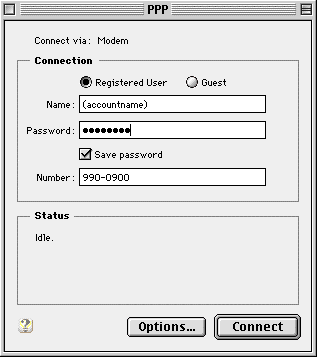
- Click on the Apple menu, go to , and select .
- Select .
- In the field labeled , enter your XMission username.
- In the field labeled , enter your XMission password.
- In the field, enter your local XMission access number.
- Click on .
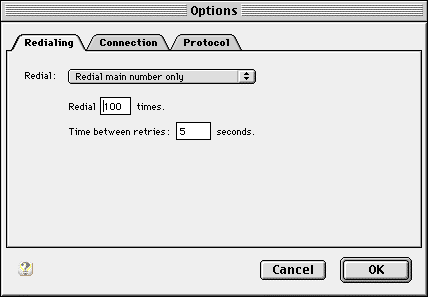
- Select the tab.
- Select .
- Enter 50 in .
- In the field next to , enter 5.
- Select the tab.
- Check .
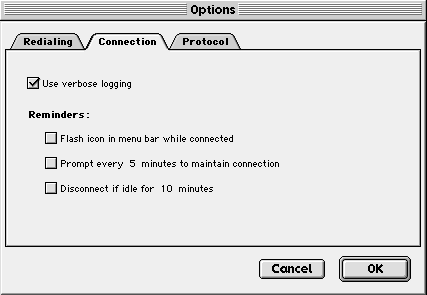
- Select the tab.
- Beside , select from the menu.
- Uncheck all options except .
- Click on .


